Users
For an overview of the current users of the Site, the Owner has the Site Access tab available at the top of the screen. They can invite new users from here (those will have access to the entire Site, not just individual Folders – this means there is no confidential data for users with this type of access), update access rights of existing users and remove users from the Site.
The tab should look similar to this when opened:
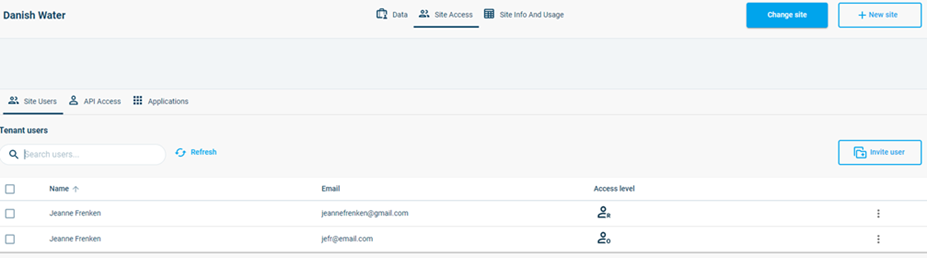
Note: this tab has three sub-tabs: Site Users, API Access and Applications: the last two items will be discussed in the following paragraphs.
To invite a new user, click the button  . This will require only an e-mail address, as the user will then be sent a link to the DHI self-registration portal. The owner also selects a role for the user, which will determine what the user is allowed to do in Cloud Admin after they register.
The user needs to register in the self-service portal and associate themselves with the relevant Site. This will ensure they are registered in the Microsoft Azure systems as well as in the DHI Business Applications, ensuring a secure login.