Managing Site Data
At the top of the Site Data section of Cloud Admin, you can find a bread-crumb hierarchy of folders and subfolders to help you navigate through the folder tree. Next to each folder name in the navigator, you can also see your role in square brackets (e.g. [Owner]) as it was assigned to you (it is possible to hold different roles for different folders in the hierarchy).
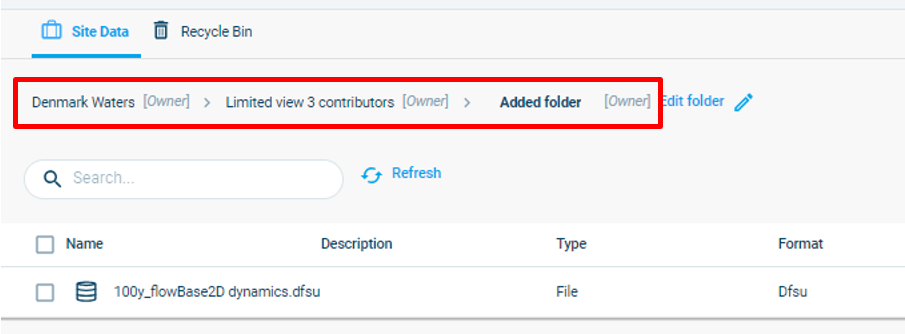
The Cloud Admin functions much like Windows Explorer. The user can upload files and create Folders to store those files in for easy access. It is up to the Company and users to determine which, if any, conventions are applied to this, other than:
- Names can’t contain any of these characters: '', '?', '%', '*', ':', '|', '"', '<', '>'
- Names can’t end with a dot ('.')
- Names can’t contain any control characters (0-31 ASCII).