Initial selection
The user interface for Step 1 (Initial Selection) is shown in the figure below.
The initial selection provides the user with the choice of the following meshing options:
- Use the assisted meshing option for generating either Coastal or Offshore meshes.
- Use your own mesh.
Both options are described in subsections below.
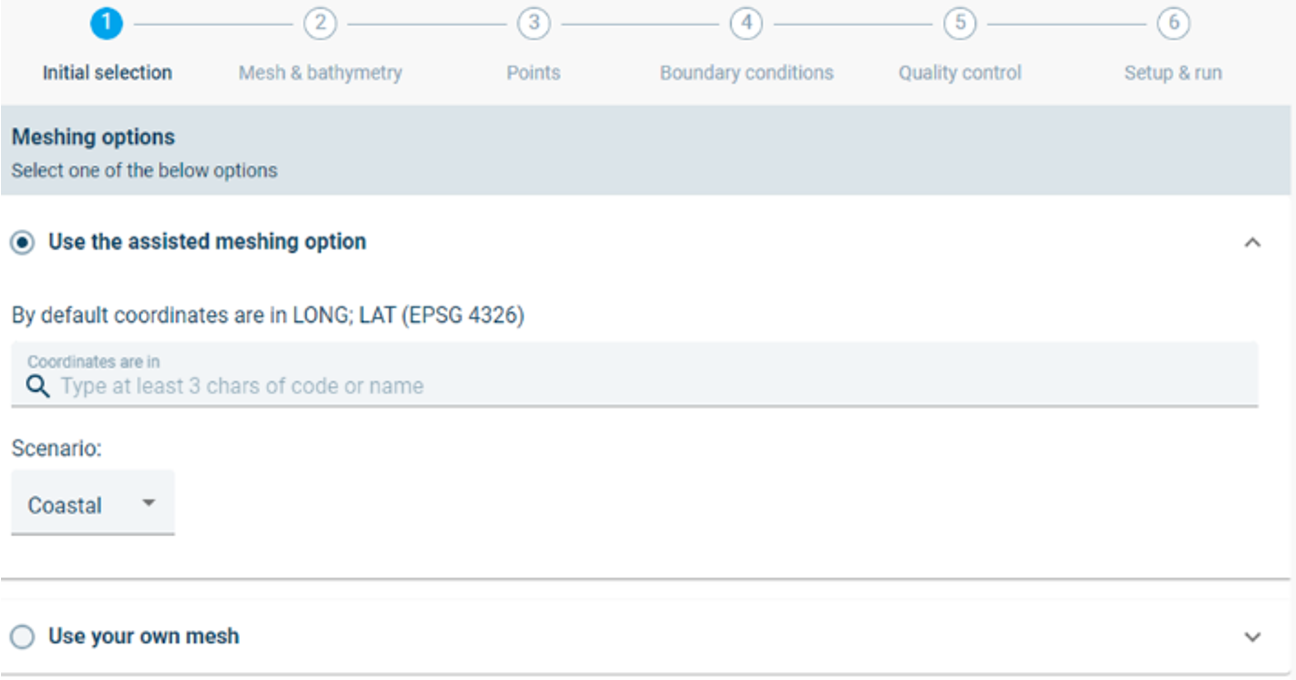
Step 1: Initial selection
Assisted meshing
Computational meshes can be generated directly by MIKE MS. The meshing uses pre-defined meshing parameters and is therefore called assisted meshing. The user is still required to provide the domain, the shoreline and an area of interest. These can be defined by drawing on the map or by uploading the shapes into the project. The user also has the option to change some of the pre-defined meshing parameters.
For assisted meshing the user has the option to select the map projection system or to leave it default (Long; Lat EPSG 4326). In this example setup the default projection system is used.
Next the user must select between the Coastal and Offshore assisted meshing scenarios. In this example the Coastal scenario is used. The Offshore scenario is similar to the Coastal scenario, with the only difference being that a shoreline is not required for the Offshore scenario.
Click Next step to continue.
NOTE: Switching between meshing options will reset your workspace and all previous settings will be removed.
NOTE: The assisted meshing is intended for an assisted setup of a high-resolution mesh. There may be cases where the assisted meshing does not fulfil the needs of the user. For such cases the user must generate their own mesh, as described in the next section.
NOTE: The assisted meshing does not identify islands as areas excluded from the mesh, instead it will generate triangular mesh over any islands. These triangular mesh cells will eventually be interpolated to a level which is higher than the water level and will thus be treated by the simulator as dry land.
Use your own mesh
In cases where the user does not want to use the assisted mesh, the user can choose upload their own mesh. This can be done generating a mesh using MIKE Mesh Builder, using MIKE Mesh Generator or by reusing a mesh from a previous project.
The generated mesh can be copied from the MIKE Cloud Platform, or be uploaded from your computer.

NOTE: Switching between meshing options will reset your workspace and all previous settings will be removed.
By using your own mesh, the stepper omits the Mesh & bathymetry step and skips directly to the Points step (Section 4.3).
