Layers manager
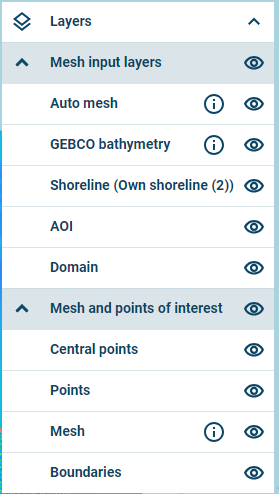
The Layers manager, shown in the figure below, enables different visualisations on the map. These will only be visible once a mesh is uploaded or generated by the assisted meshing option.
Layers manager
The following are examples of layers that can be turned on or off:
- Auto mesh: The mesh file generated by the assisted meshing option
- User defined bathymetry files (In this case reduce_IRL.xyz)
- GEBCO Bathymetry: As extracted automatically for the generated mesh
- Shoreline: As drawn or uploaded by the user
- Area of interest: As drawn or uploaded by the user
- Domain: As drawn or uploaded by the user
- Central points: Centres of boundary sections
- Points of interest: As specified by the user
- Mesh: As generated or uploaded
- Boundaries: Lines along the boundaries.