“Data Admin” application
The “Data Admin” application enables the user to interact with the data. This includes uploading, updating, downloading or editing data. The “Data Admin” application consists of 5 different tabs.
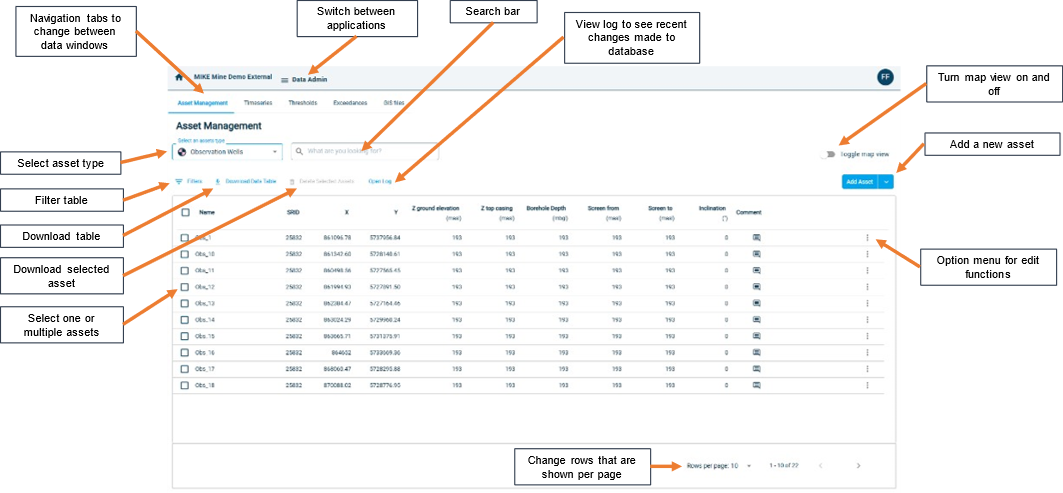
“Asset Management” tab
The figure below shows the “Asset Management” tab. In this tab the user can interact with the asset data.
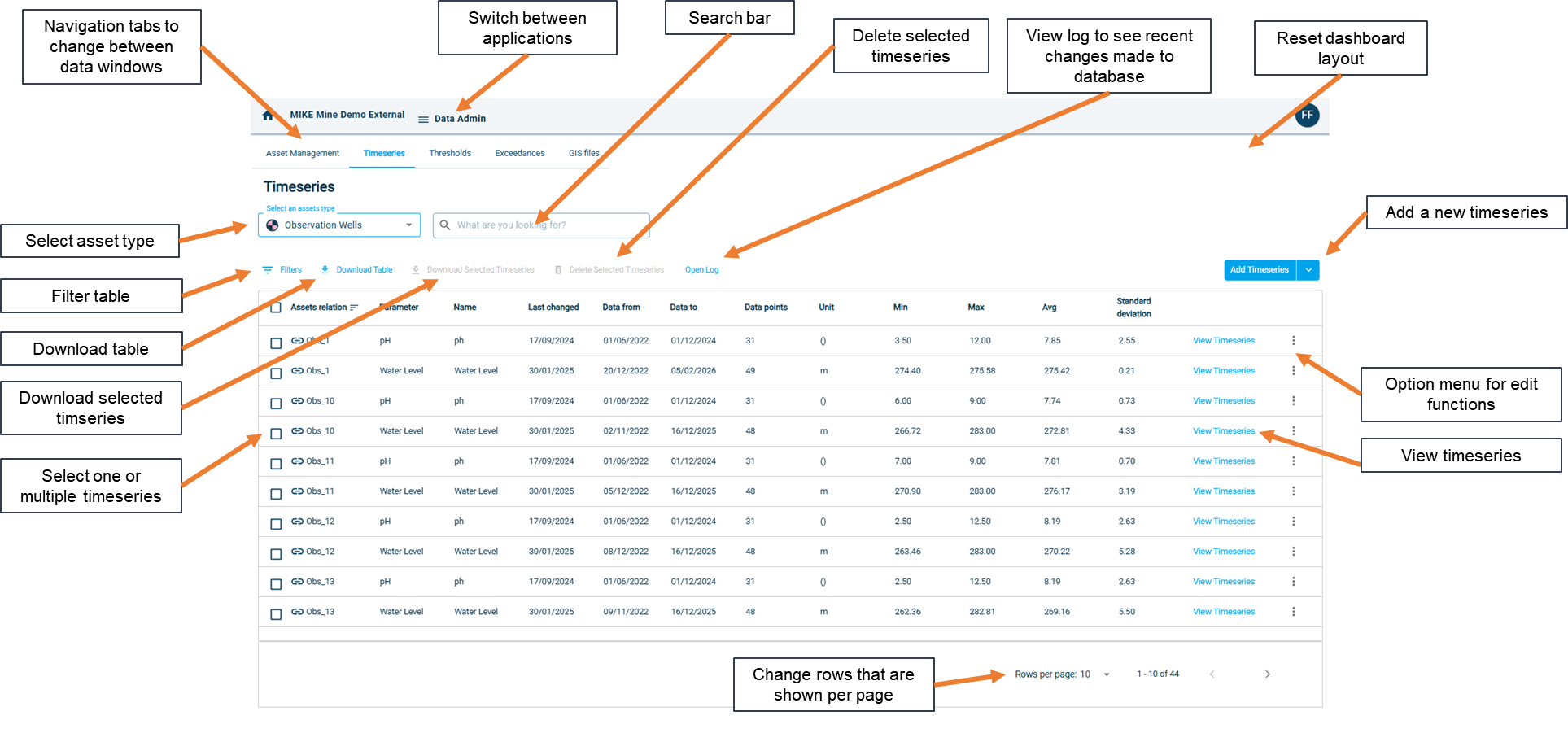
“Timeseries” tab
The figure below shows the “Timeseries” tab. In this tab the user can interact with the timeseries data.
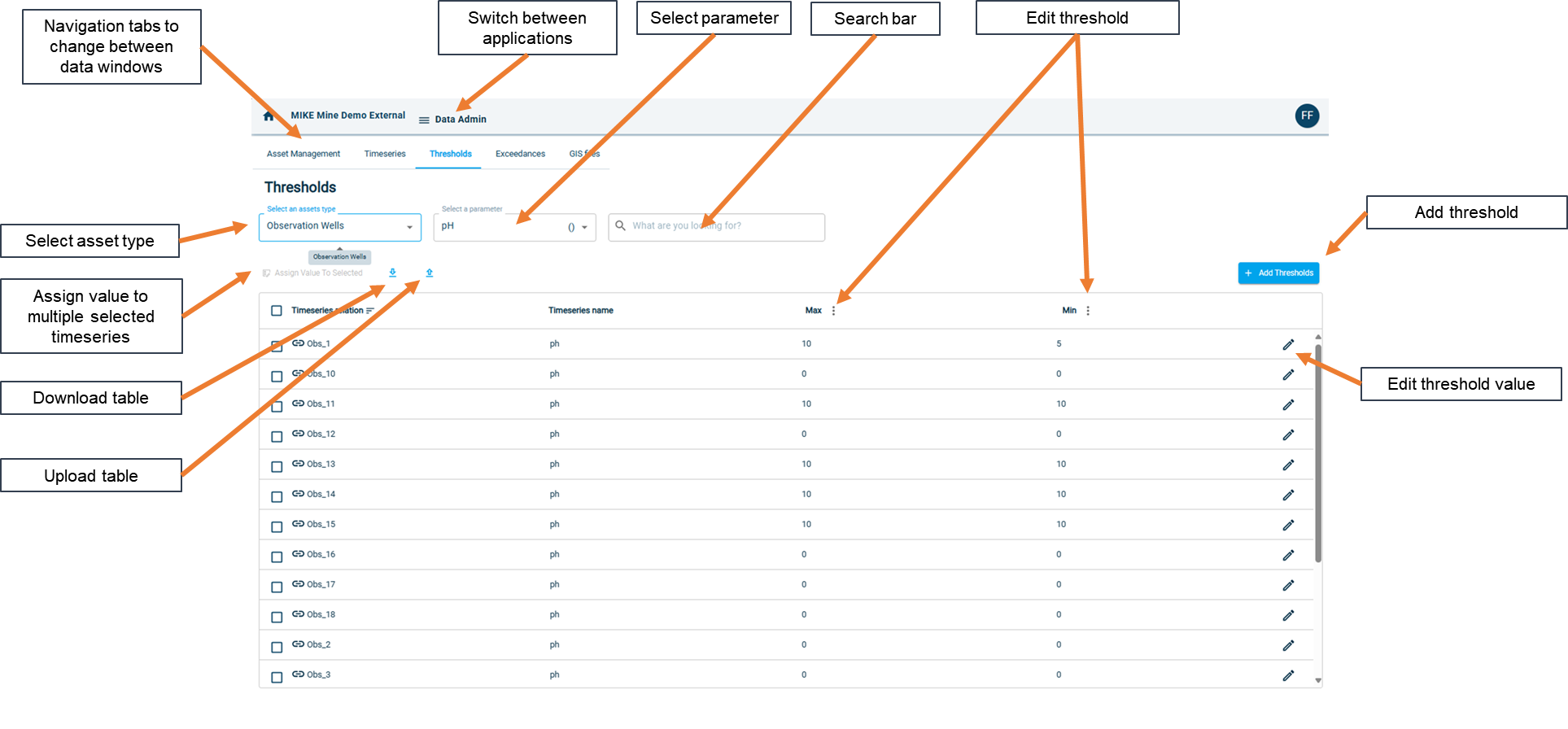
“Threshold” tab
The figure below shows the “Threshold” tab. In this tab the user can interact with the threshold data.
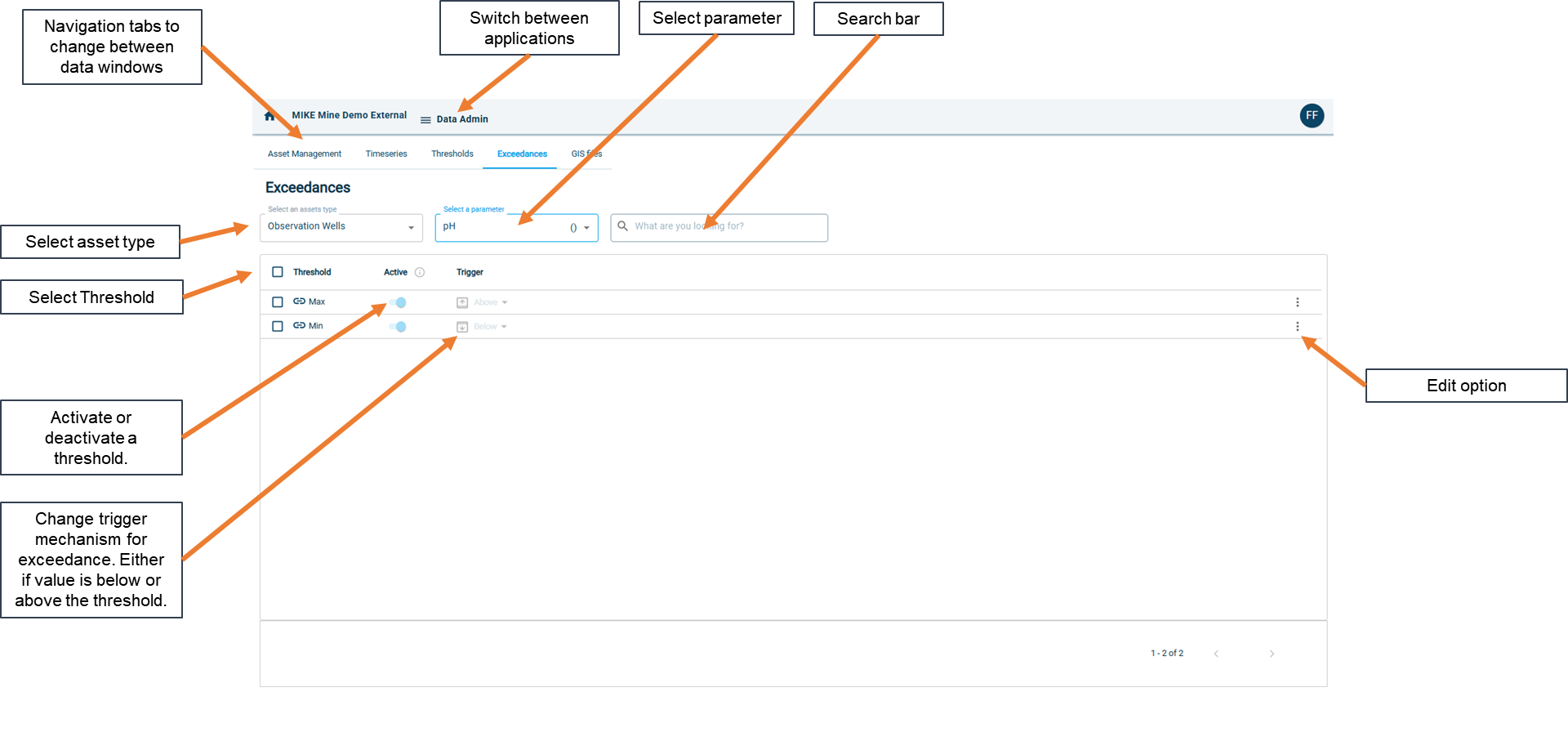
“Exceedances” tab
The figure below shows the “Exceedances” tab. In this tab the user can interact with the exceedance data.
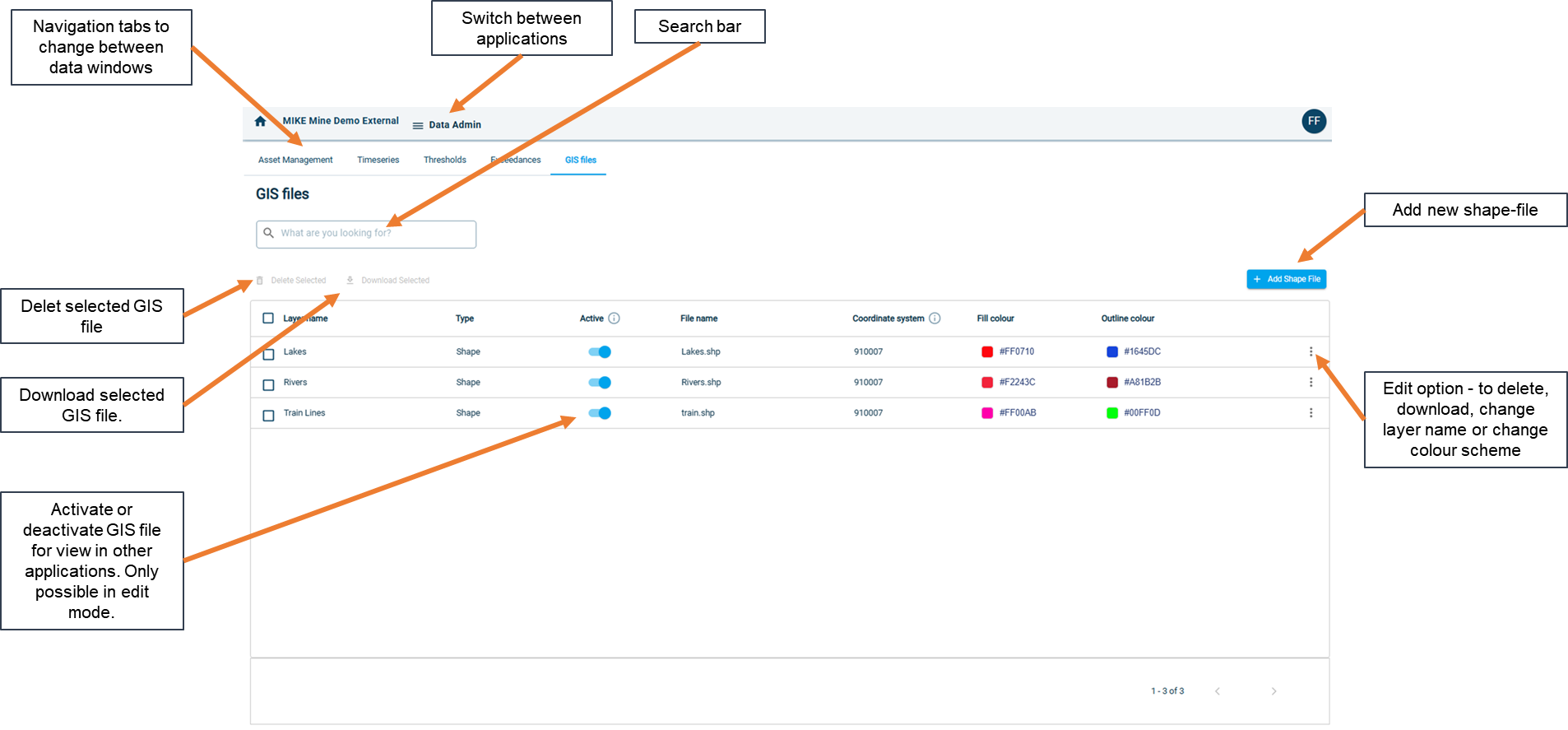
“GIS file” tab
The figure below shows the “GIS file” tab. In this tab the user can interact with the GIS data.