Points
In this step the user selects the output points from where the output will be derived.
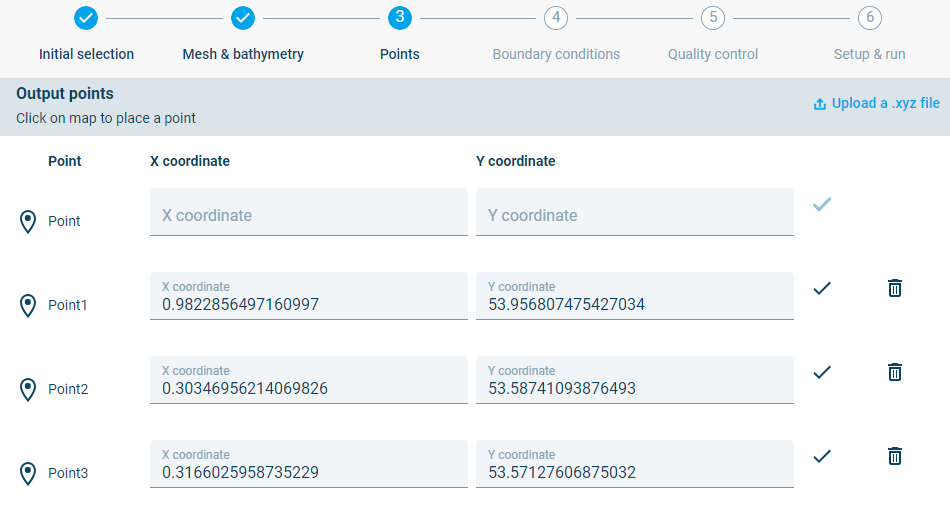
Step 3: Definition of output points
The user can upload a .xyz file with coordinates, click points in the interface or enter coordinates into the input fields.
In this example the user can choose to click some points on the map:
• One point in the centre of the offshore boundary (Useful for later validation) • Points in the area of interest
The user can also select to create a comma delimited xy file and upload it into the interface. The following coordinates can be copied into the xy file (output_points.xy):
Offshore point,-9.97488,54.83067<br>
Approach point,-8.505645,54.576119<br>
Entrance point,-8.445721,54.615373<br>
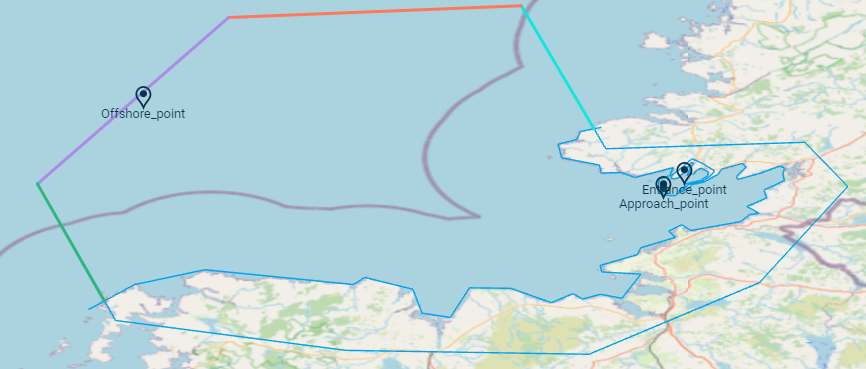
Model mesh with output points selected in the domain. One point is selected on the offshore boundary while two more are selected in the area of interest.