Choosing Data extraction settings
After the .mesh file has been uploaded, find the Data extraction panel by clicking the second symbol from the top on the right:  . A new panel is opened:
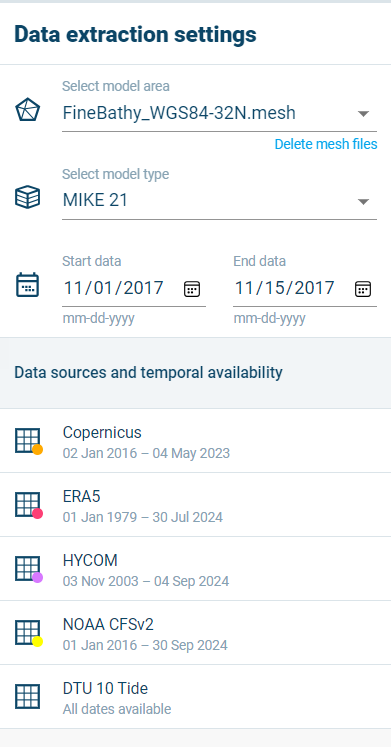
The following options are available:
- Select model area: if multiple .mesh files were uploaded, it is possible to make the selection for which the settings are here.
- Delete mesh files: if one or more .mesh files are unwanted, this link will give you the option to delete it from further use by DL.
- Select model type: the model type for which DL should be creating the file.
- Start date / End date: the dates for which temporal data is desired.
- Data sources and temporal availability: the data sources marked with  currently do not contain data for the dates entered above. This means they will not be included in the resulting files DL generates.
To see more information on a dataset, click the name. A pop-up will appear with more information, and an option to download this information:
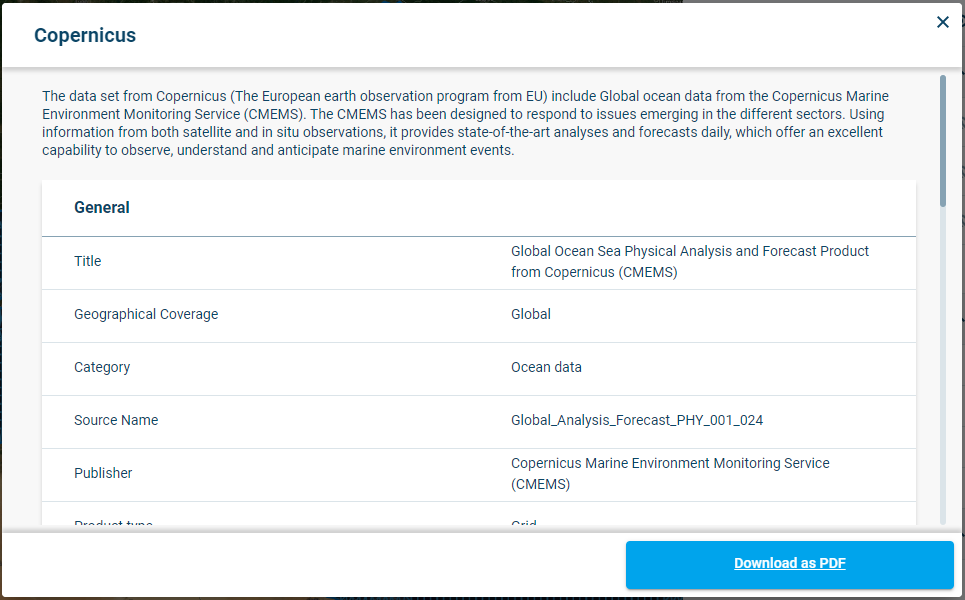
Example of more information on a dataset