Getting started
It only takes a few steps to get started with the MIKE MS application. The basic workflow processes are as listed below:
-
Access to MIKE Metocean Simulator is available only to users who have been invited to one of the MIKE Cloud Admin Sites. This can be done in one of the following ways:
- Invitation by DHI Customer Care team, for the very first user of a newly created MIKE Cloud Admin Site.
- Invitation by a MIKE Cloud Admin site owner, for and existing site.
-
Go to the MIKE MS home page: https://metoceansimulator.mike-cloud.com/
-
Log in to MIKE Cloud via the MIKE MS home page
-
Select an existing project by clicking on it or create a new project

-
Enter the selected or created project by clicking on the name
NOTE: MIKE Metocean Simulator will not start from the root of MIKE Cloud. It is required to enter a project folder or subfolder. -
Start the Metocean Simulator

This will lead you to the initial starting screen:
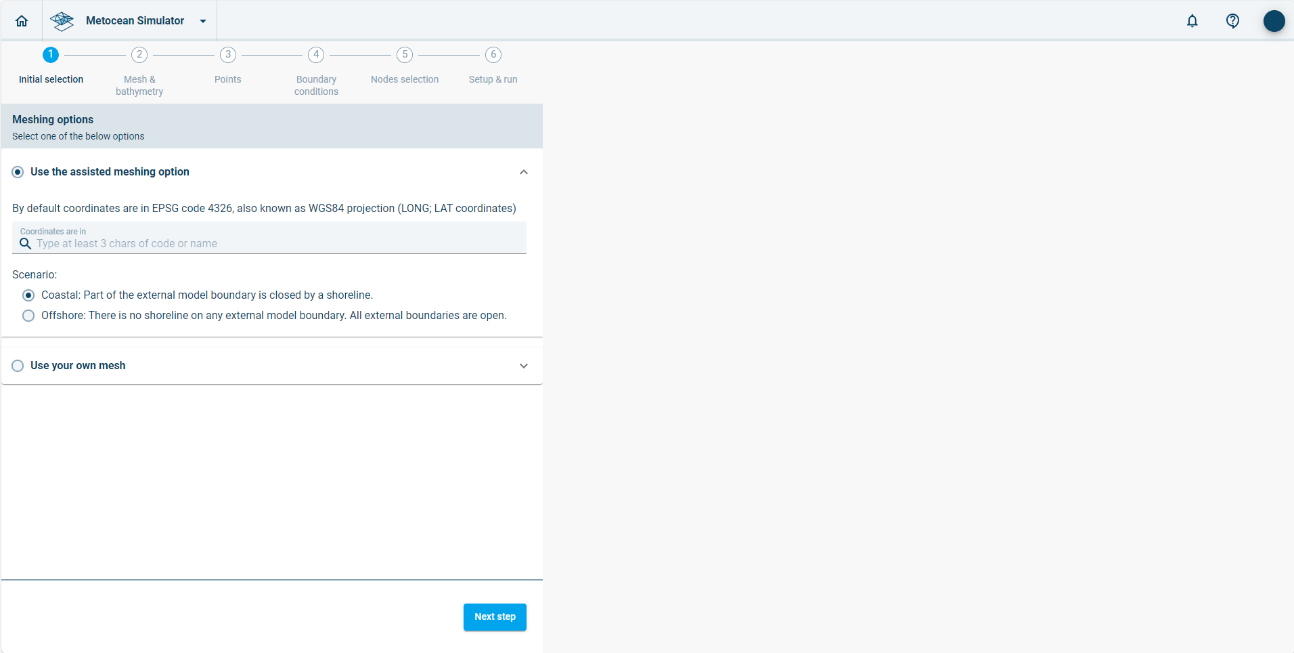
MIKE MS workspace with choice of meshing options
The general layout of the MIKE MS interface is described in the next section.