Boundary conditions
Boundary conditions can be extracted from the DHI data providers, the user can provide their own boundary conditions, or a previous extraction/upload can be reused. The options are shown in the figure below.
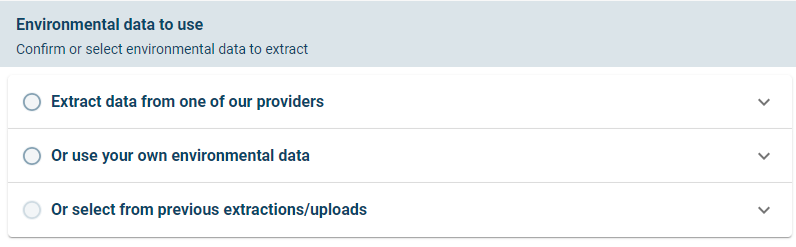
Three options for defining boundary conditions to the model
NOTE: The extraction from one of DHIs providers use spatially varying boundary conditions, while when the user uploads their own environmental data the inputs are defined to not be spatially varying.
The options will be described below in sub sections.
Extract data from one of our providers
The user interface for extracting data from one of the DHI providers are shown below.
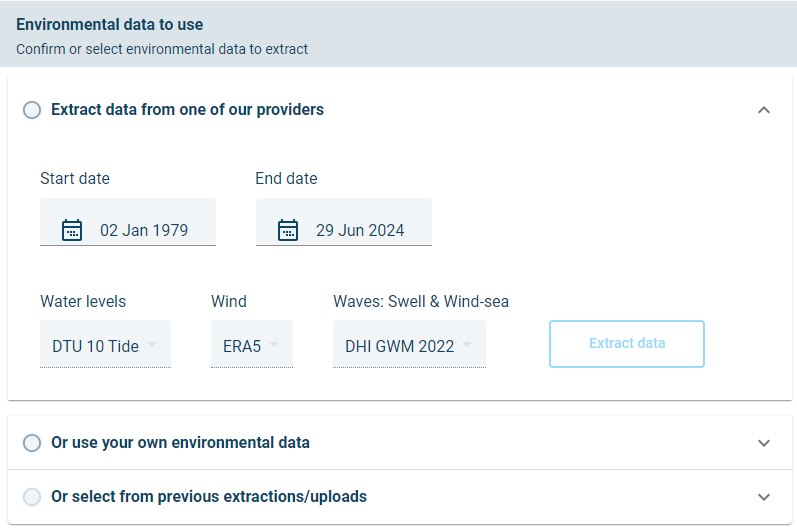
User interface options for extraction of data from one of DHI’s providers.
In this option the user can specify the start date and end date for which to extract data. By default, the full period is selected. It should take less than 15 minutes to extract the entire period for the mesh shown here.
For a faster demonstration, the user can select one year of data by setting the start date to 1 Jan 2021 and the end date to 31 Dec 2021. The extraction of one year of data should take about 1 minute.
There is currently one wind (ERA5), one Waves (DHI GWM 2022) and one water levels (DTU10) source which is provided with MIKE MS.
Click extract data to start the extraction to extract boundary and forcing conditions
The spatially varying boundary and forcing conditions has the following discretisation:
- Wave conditions along the offshore boundaries has three extraction points along each colour coded boundary section. There are about 144 dimensions to the wave boundary conditions, consisting of the following:
- 12 wave boundary points.
- 4 wave parameters (Significant wave height, Peak wave period, Mean wave direction and directional standard deviation)
-
Total, sea and swell components.
-
Wind conditions over the domain are extracted in a 0.25 degree grid. There are 184 wind dimensions, consisting of the following:
- A grid of wind conditions (92 grid cells)
-
U and V wind velocity components
-
Predicted tides over the domain are extracted in a 0.25 degree grid. There are 27 gridded predicted tide level conditions.
In total there are 355 dimensions to the metocean boundary conditions extracted in this example. The boundary conditions can be downloaded by the user by navigating to MIKE Cloud Admin and then downloading a zip file containing the boundary and forcing conditions.
Click the app selector next to the Metocean Simulator title:

Then open the project with MIKE Cloud Admin:
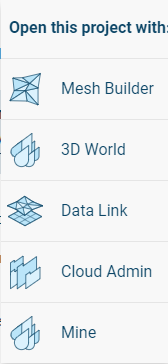
In MIKE Cloud Admin the user can select and download the Extracted boundary conditions:

The boundary conditions can be viewed in MIKE Zero software from the desktop computer, as shown below.
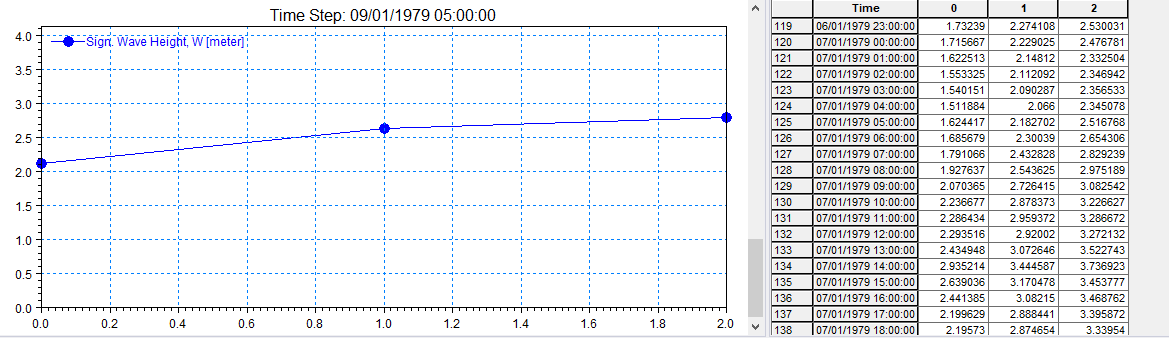
Wave boundary conditions along wave boundary 2, as viewed in MIKE Zero
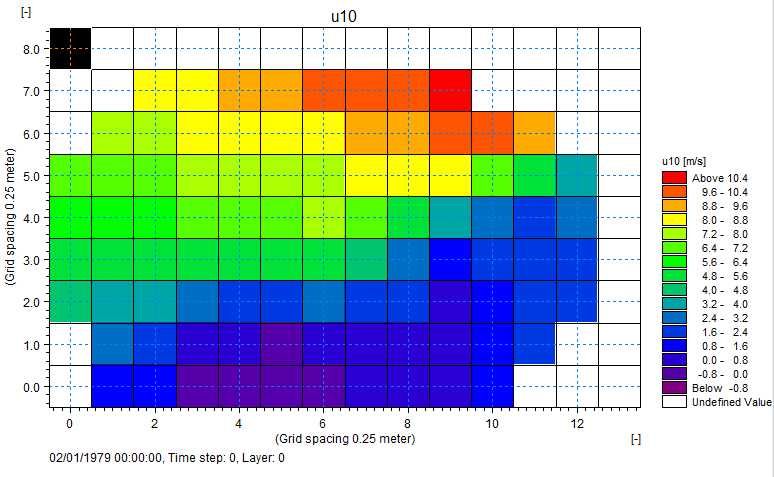
Wind forcing conditions gridded over the model domain, as viewed in MIKE Zero
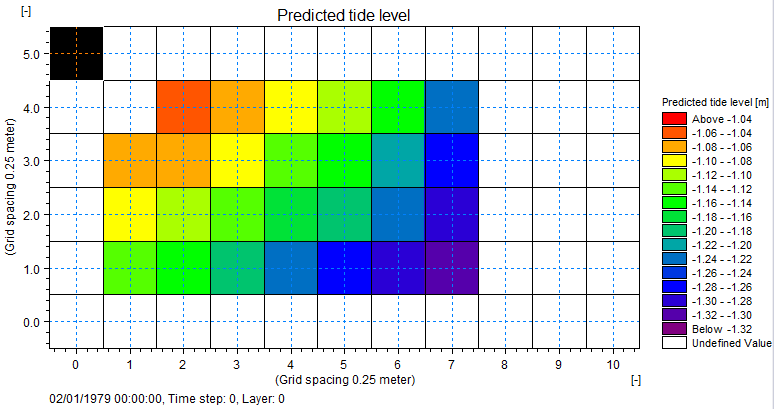
Predicted tide forcing conditions gridded over the model domain, as viewed in MIKE Zero
Use your own environmental data
The user interface for user provided boundary conditions is shown below.
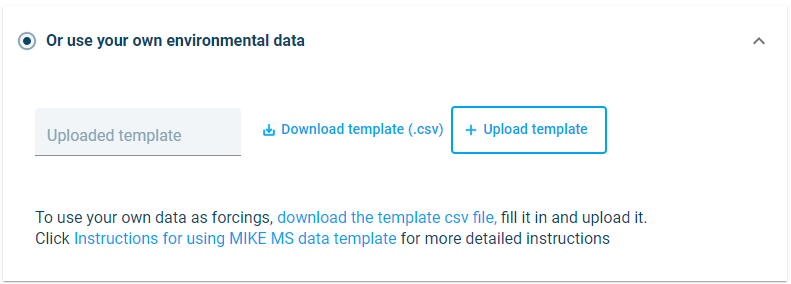
User interface options for user provided boundary conditions.
If the user selects to upload their own data, it is important that the data is provided in the right format to MIKE MS.
Start by downloading the template file
The data in the template file can be edited and the number of rows can be extended, but the user must not change the headers or add additional columns to the file. Examples of the template file as seen in a Spreadsheet or in notepad++ are shown in the two figures below.
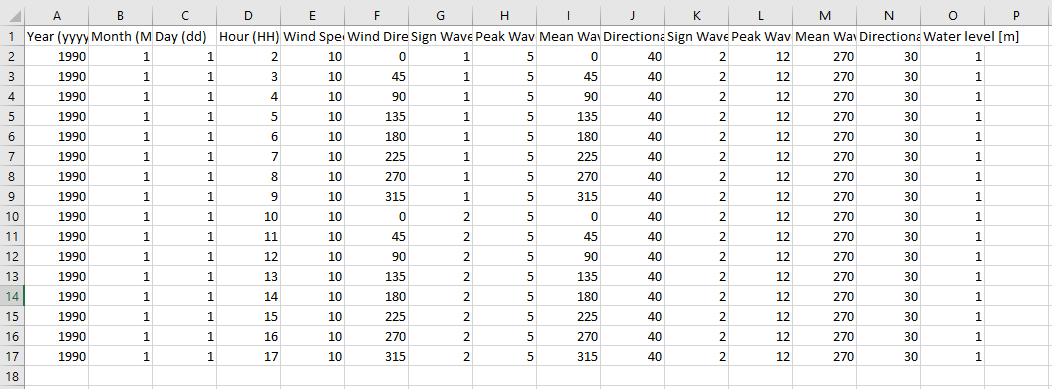
Example of the template file when viewed in as a spreadsheet. Be careful when editing the template in a spreadsheet, as the spreadsheet can add data in column P, change the number of decimals or change the delimiters.
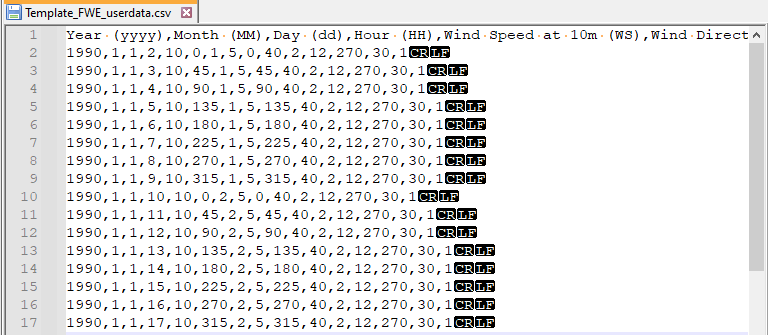
Example of the template file when viewed in notepad++
WARNING: When editing the file, the data must maintain equidistant timesteps at constant 1h intervals
Some warning messages has been built into MIKE MS to warn the user of unexpected inputs.
After the user had uploaded their boundary conditions, it is converted to a common format for use by MIKE Metocean Simulator. The converted data can be downloaded from MIKE Cloud Admin in the same way as described in the previous section.