User Access Report
Overview in MIKE Cloud Admin
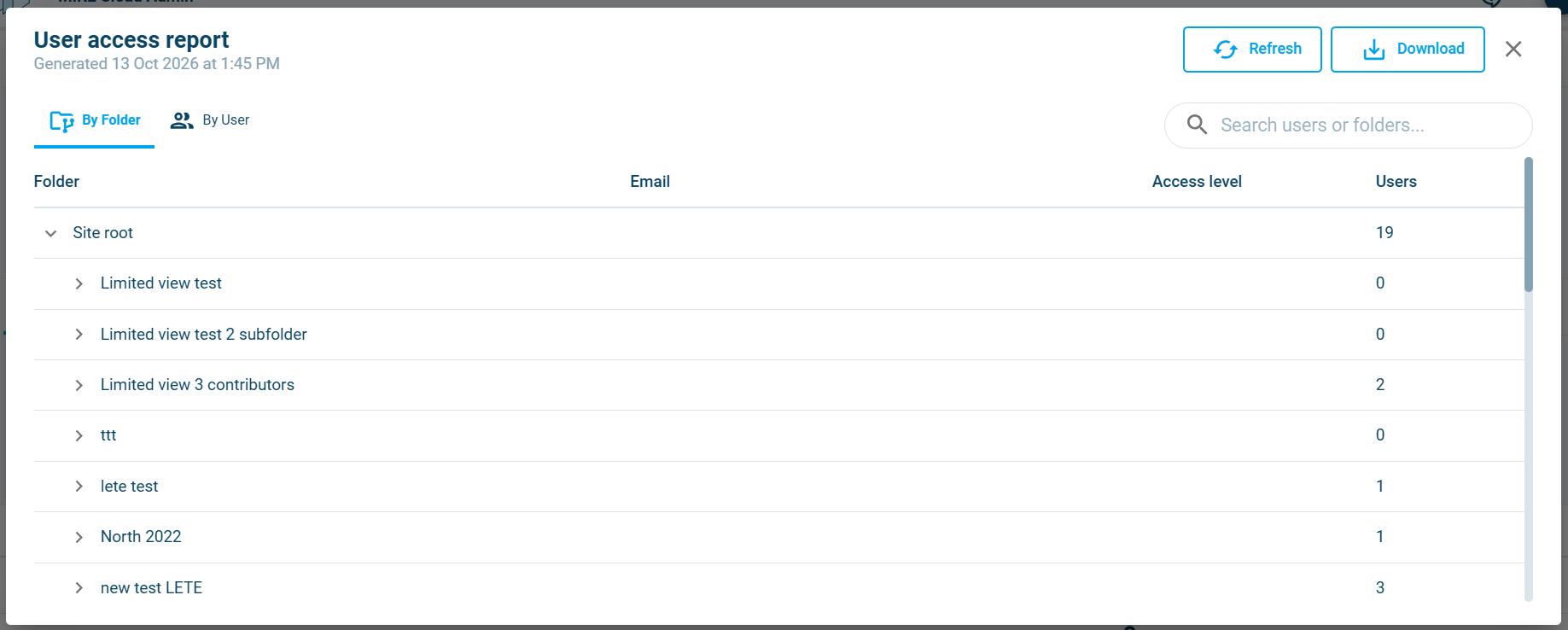
The Owners can view and dowload the User Access Report with all users that have access to the Site and all of its Folders.
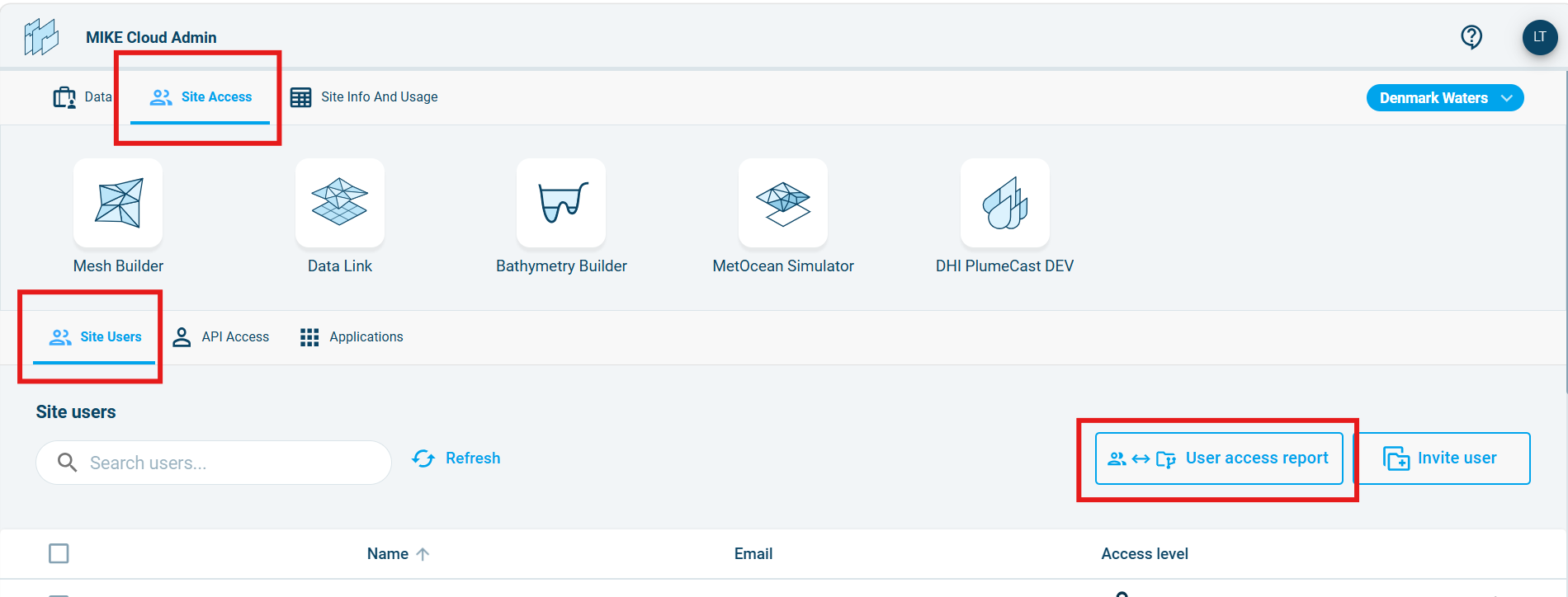
In the Site Access tab click on the User Access Report button to access the site members' overview. It can be filtered by Users or by Folders.
CSV report download
The User Access Report can be downloaded as a csv file. Note: The dowloaded report also includes API accounts and other non-personal access entities.
Note: The csv report can be also generated and stored in the Cloud Platform using this API endpoint:
POST https://api.mike-cloud-{environment}.com/api/metadata/project/{projectId}/member/list Json body: { "Folder": "report", "PrincipalType": "UserIdentity", }
- "projectId" can be a specific project somewhere in the hierarchy or just a site id (aka tenant id).
- "Folder" defines the name of the folder where the output report should be stored.
- "PrincipalType" is an optional filter which can have these values: {Unknown, UserIdentity, OpenAPIAccount, MemberGroup, Feature}